
WHAT IS IT?
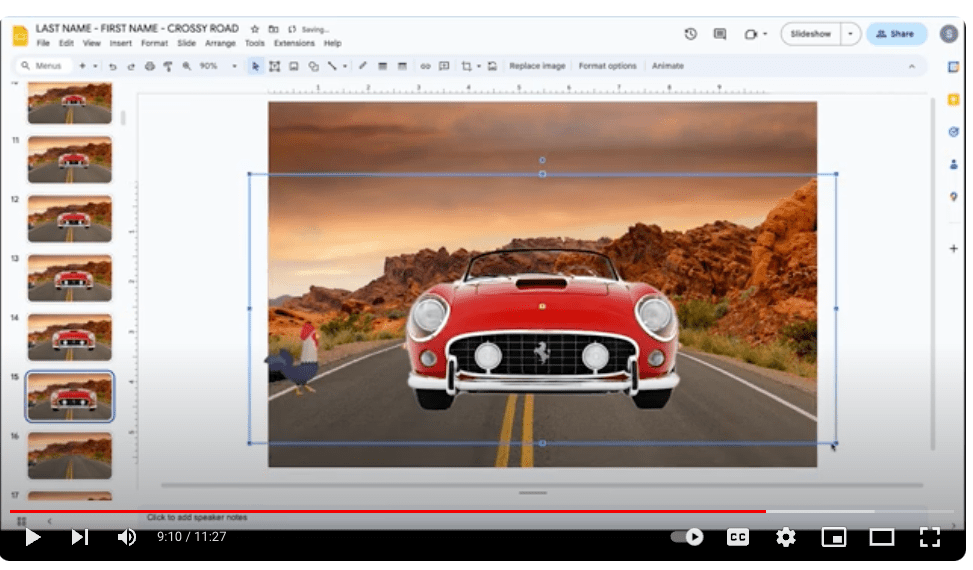
Animating in Google Slides allows you to add motion effects to text, images, or other elements in a presentation. You can use different types of animations like entrance, exit, motion, and emphasis to make elements appear, disappear, or move in dynamic ways. These animations will allow you to then create a final film in combination with your favourite editor such as PREMIER PRO.
SEE THE EXAMPLE BELOW
RESOURCES:
USE THE VIDEO BELOW TO HELP YOU:
DOWNLOAD and COPY the TEMPLATE HERE:
TUTORIAL: HOW TO ANIMATE
ASSIGNMENT 001:
ASSIGNMENT: Create your Own animation for crossy road based on the template provided below.
PARAMETERS/ LIMITATIONS:
- Must use one of the 2 walking chickens for the animation and not the other ones.
- Must use only one background of the two provided.
- No other backgrounds can be in the scene.
- Must use either the ball or the car or both.
- Student must demonstrate “SCALE” animation editing technique
- Student must demonstrate “MOVE” Animation editing technique.
- Student must work alone – individual work to be submitted.
DON’TS & DO’S
- Student must must not use any other backgrounds than the ones provided.
- Student can add additional GIF’s to their animation once completed.
- Student can further animation as per their needs.
- DO NOT input violent or graphic scenes into animation.
- Use GIF’S and DO NOT use any other form.
- Make sure that you review the submission requirements below.
SUBMITTING:
You must submit your final animation “LINK ONLY” – Be sure to change the numbers from 1000 to 75 before submitting so that I can view the full animation properly.
 Remtech Studio