
THE CHALLENGE
Create a poster in photoshop that represents one of the topics provided. Make sure to complete a design pre-production prior to starting your project. If you have an idea of your own, I would love to hear it.
CHOOSE A TOPIC:
POSITIVE SOCIAL CHANGE:
- Discourage youth from smoking
- Encourage students to clean up after themselves after lunch
- Discourage youth from joining a gang
- Eat organic, eat local
- Support a peace initiative, oppose a war or occupation
- Feed the hungry, house the homeless
- Anti racism & Equity
PROMOTIONAL
- A school event or program (can be a fictional event)
- Concert poster
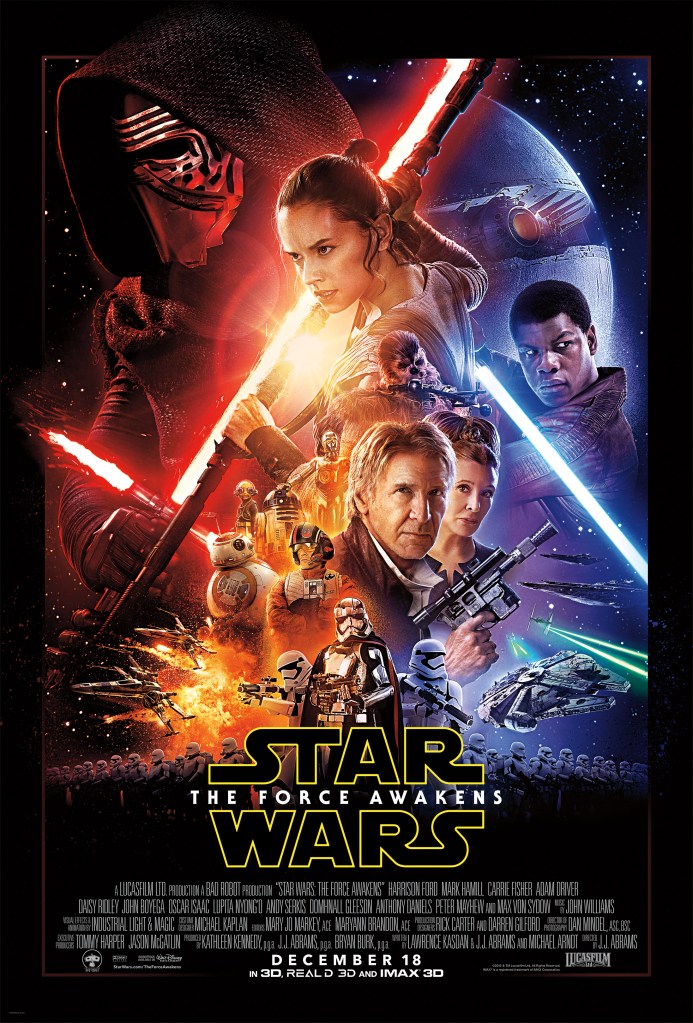
- Hollywood movie poster
- Band – concert, tour schedule, new album release, in-store signing, crowdfunding campaign, fan club, festival, documentary film, battle of the bands, charity drum-off, memorial service for drummer who died in a tragic on-stage spontaneous combustion incident, etc.
- Restaurant – grand opening, new menu item, taco tuesdays, appetizer menu, kids menu, ladies night, holiday tie-in event (Cinco de Mayo), jazz night, etc.
- Clothing – year end sale, coupon, seasonal clothing, new location, fashion show, sponsor charity event, coat drive, new fabric promotion, etc.
REQUIREMENTS:
- 11″ x 14″ – portrait (vertical)
- 300 dpi (resolution for printing)
- CMYK colour mode (colour mode for printing)
- The poster must be tasteful
- The poster must not be offensive
- If you have any doubts about the suitability of your poster, ask me to review it.
- This is a creative design project – do not simply throw some images together and apply some photoshop effects.
- The poster must be creative and effective – make it your own, be original
- The poster must appear authentic (if it’s a movie poster it should look like a movie poster)
- You must have ONE PICTURE that you have taken yourself of a person in there. No objects.
- Design requirements: Your poster must follow the essential tips on poster design:
- The user comes first
- Reduce clutter
- Use text sparingly
- Think big
- Rule of thirds
- Elements & Principles of Design
CREATE A PRE PRODUCTION:
EXAMPLE:
PRE PRODUCTION MUSTS…
You must have a pre production completed. Your pre production must include the following in a GOOGLE SLIDE SHOW:
- Rough Sketches
- 4 Drafts of your poster.
- Pick one of those drafts and finalize your design.
- Once your design is completed then work on the poster.
- Be sure to include a description of your poster in each draft version.
HOW TO SUBMIT
Be sure to have your final PSD file and A JPEG completed with all LAYERS and items. You must submit your final PSD file along with your JPEG as well as your pre production with a link to D2L. Make sure I am able to view it as sometimes we forget to provide sharing.
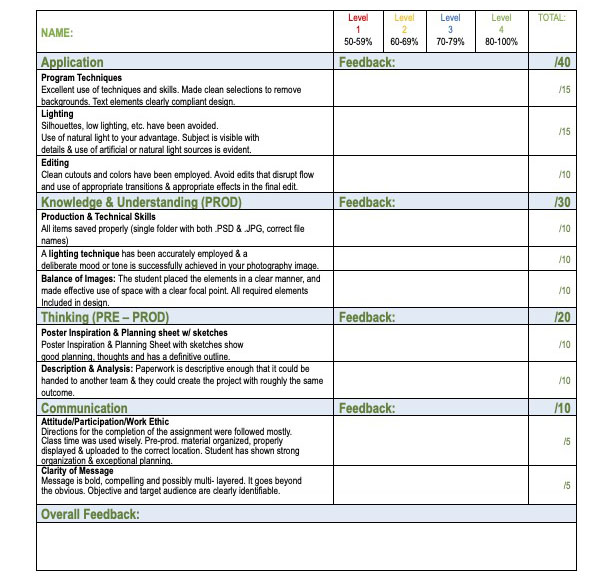
RUBRIC BELOW
 Remtech Studio